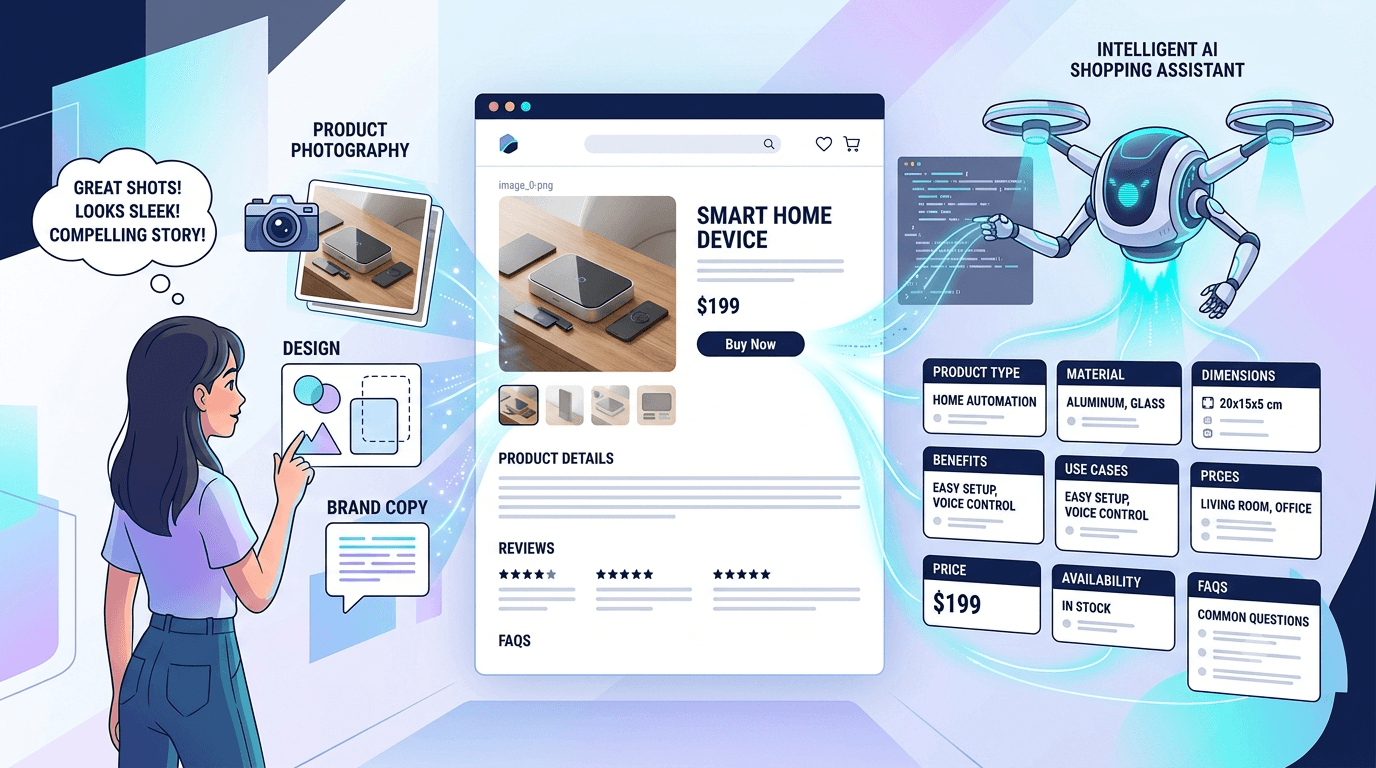
A product page can look great and still leave AI guessing.
The headline may be clever. The photos may feel polished. The description may sound exactly like your brand. But when a shopper asks an AI assistant to find a product for a specific need, style alone gives the system very little to work with.
AI needs clear facts and clear connections.
It needs to understand what the product is, who it’s made for, what problem it solves, where it can be used, and why someone might choose it. When those details are vague, scattered, or inconsistent, the product becomes harder to include in an answer.
That creates a new job for ecommerce teams. Product pages must help people feel confident while giving AI enough information to interpret the offer correctly.
Here’s how to do it.
Give AI a Clear Product Summary
Start with the first few lines of the page.
Can a reader quickly tell what the product is? Can they identify its main benefit? Do they know who it’s for?
Consider this description:
“Built for better adventures and everyday performance.”
It sounds smooth, but it could describe a bottle, backpack, jacket, watch, or pair of shoes.
A clearer version would be:
“This 24 ounce insulated stainless steel bottle keeps drinks cold for up to 24 hours and fits most standard car cup holders. It’s designed for commuters, gym users, and day trips.”
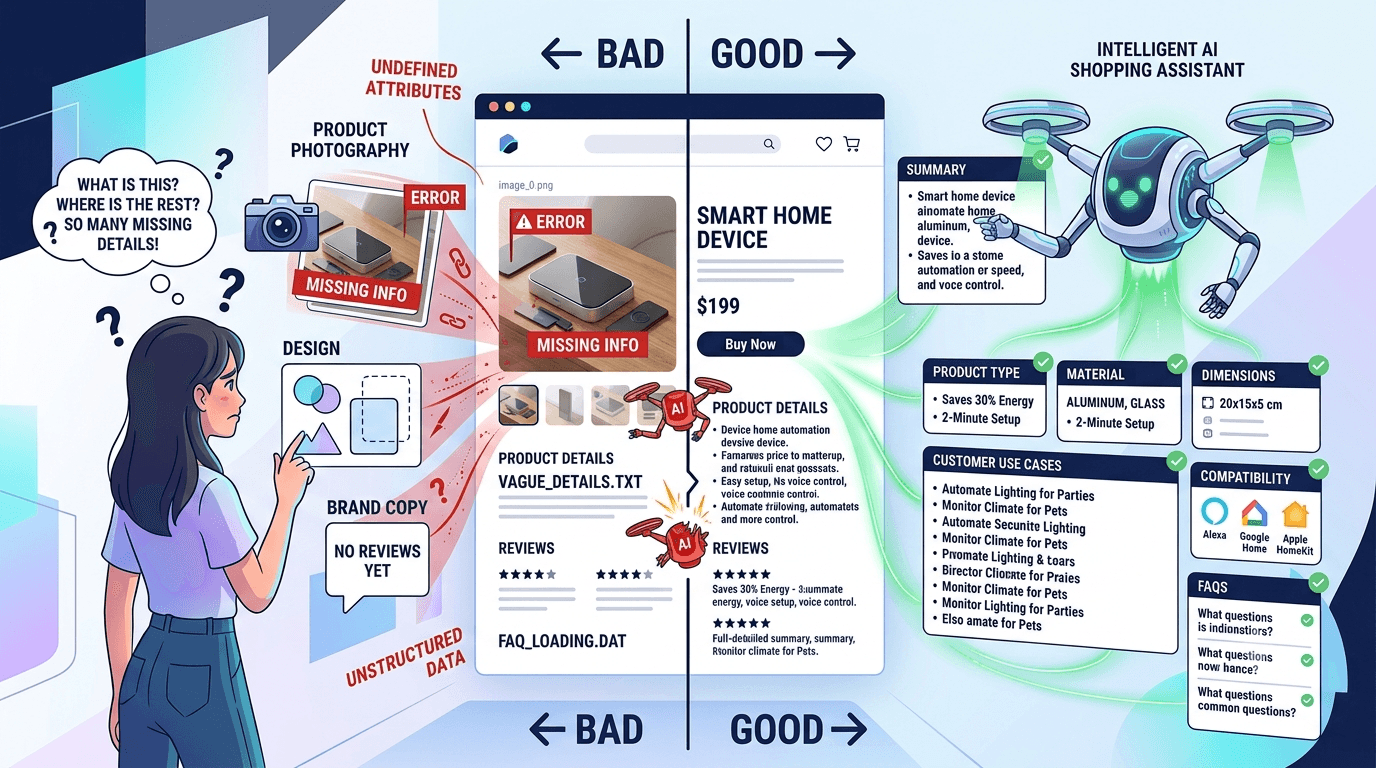
Now the page contains details an AI system can use. The product type is clear. So are the material, capacity, benefit, compatibility, and common use cases.
You can still follow that summary with more creative brand copy. Just make sure the main idea doesn’t depend on the reader interpreting a mood, image, or slogan.
This matters because AI shopping tools often compare several products while answering one detailed question. A clear opening helps your product enter that comparison.
XENA’s article on why AI assistants may ignore an online store explains how unclear product information can weaken a brand’s chance of appearing in AI answers.
Connect Every Feature to a Useful Benefit
Many product pages list features and expect the shopper to work out why they matter.
AI may struggle with that gap too.
Suppose a backpack page says:
“Made with 600D recycled polyester.”
That’s a useful fact, but it doesn’t tell the whole story. Why should the shopper care?
A stronger version could say:
“The 600D recycled polyester exterior is made for frequent commuting and everyday travel. Its tightly woven surface helps the bag handle regular wear while keeping the overall weight manageable.”
The material now connects to a use, outcome, and customer need.
Good benefit copy usually answers four questions within a few sentences.
What is the feature? What does it help the customer do? When does that benefit matter? Is there a fact that supports the claim?
You don’t need to follow a rigid template. The writing should still sound natural. But each major claim needs enough detail to make sense on its own.
Avoid filling the page with words such as premium, powerful, innovative, advanced, or durable unless you explain what they mean for this product.
A suitcase becomes easier to understand when you state the shell material, wheel design, dimensions, weight, and warranty. A skincare product becomes clearer when you state its ingredients, texture, fragrance details, recommended skin types, and directions. A pair of headphones needs battery life, charging time, device compatibility, microphone details, and connection type.
Specific details help shoppers decide. They also give AI more reliable product signals.
For more guidance on structuring titles, attributes, images, and product copy, see XENA’s 2026 product listing blueprint.
Write for Real Use Cases
Product category information tells AI what an item is. Use cases tell it when the item may be helpful.
This is important because shoppers often describe a situation instead of naming a product.
Someone may ask for a backpack that fits a 16 inch laptop, stays comfortable during a bike commute, and handles light rain.
Another shopper may ask for a moisturizer that works under makeup and suits sensitive skin.
A parent may ask for a compact stroller that fits in a small car and can be folded with one hand.
These questions contain several layers of intent. There’s a person, a setting, a need, and usually a constraint.
Your page should cover those details directly.
Name the Customer
Say who the product is designed for.
A desk chair may suit shorter users, taller users, people working long hours, or customers with limited office space. A travel bag may be designed for weekend trips, business travel, daily commuting, or gym use.
Clear audience language helps people recognize that the product fits their needs. It also helps AI match the page to a conversational question.
Describe the Setting
Explain where and when the product works best.
A speaker may be suitable for small indoor rooms, outdoor gatherings, or travel. A pan may work on gas, electric, and induction cooktops. A jacket may be intended for light rain, cold weather, or high activity.
Don’t leave those connections inside an image.
Write them into the page.
State the Limits
Customers often make decisions based on one small constraint.
Will the case fit their phone model? Does the bag meet an airline’s size rules? Is the fabric machine washable? Does the item require assembly? Is a food product made in a facility that handles common allergens?
Clear limits can prevent returns and poor customer experiences. They also help AI avoid recommending the product in the wrong situation.
XENA’s guide to building high converting product listings offers a useful framework for connecting product content with the shopper’s reason for searching.
Keep Product Information Consistent
AI needs to know that information from different sources refers to the same item.
That becomes harder when product names, colors, sizes, specifications, or identifiers change across your website, feeds, marketplaces, and support pages.
Imagine that the website calls a bag the “AeroFlex Travel Pack.” The shopping feed calls it the “Aero Flex Backpack.” A retail partner calls it the “AeroFlex Carry On.” The product’s structured data still contains an older model name.
A person may understand that these names refer to one bag. A machine may see several uncertain matches.
Choose one standard product name and use it wherever the product appears.
The same rule applies to brand names, model numbers, SKUs, product identifiers, colors, materials, dimensions, package contents, prices, and availability.
If a color is called Ocean Blue on the product page, avoid calling it Navy in the feed unless those are separate options. If the product page shows a new package size, make sure every connected source reflects the change.
Accuracy matters as much as consistency. An AI system may hesitate to use product information when the page and feed disagree about basic details.
A strong product data setup connects your website copy with your structured data and product feeds. XENA’s product feed optimization guide covers the role accurate product data plays across shopping channels.
You can also use the attribute rich listing guide to identify missing specifications that may affect discovery and conversion.
Build FAQs Around How People Speak
AI shopping questions are often long and specific.
“Will this backpack fit a 16 inch laptop and still leave room for gym clothes?”
“Can I use this pan on an induction stove and put it in the oven?”
“Is this moisturizer suitable for sensitive skin if I avoid added fragrance?”
“Which size should I order if I’m between two measurements?”
Your FAQ section should answer questions like these.
Generic questions such as “Why choose our product?” add little value. Real customer questions are more useful because they reflect the concerns that shape a purchase.
Start each answer with a direct response.
For example:
“Yes. The padded compartment fits most laptops up to 16 inches. The main section can also hold a change of clothes, though the available space will depend on the thickness of the laptop and the amount of gear packed.”
The shopper gets a clear answer right away. The extra sentence provides context without hiding the main point.
Conditions matter too.
A product may work with some device generations and exclude others. A garment may run narrow through the shoulders. A travel item may meet one airline’s size policy and exceed another’s.
Say so.
Clear conditions help AI understand when a recommendation is appropriate. They also help customers make better choices.
Look for FAQ ideas in support tickets, customer reviews, chat transcripts, return reasons, onsite searches, marketplace questions, and sales calls. Repeated confusion usually points to information that belongs on the page.
Make the Page Easy to Read
The information order matters.
Start with the product name and a clear summary. Follow with the main benefits and their supporting details. Then cover common use cases, specifications, compatibility, package contents, care instructions, and FAQs.
Comparison guidance can also help. Explain which customer should choose this size, model, or version. Share when another option in your range may be a better fit.
Keep important facts in visible text. Don’t rely on graphics alone to explain dimensions, ingredients, compatibility, or key benefits.
And keep the language simple.
Short paragraphs are easier to scan. Clear headings help readers jump to the information they need. Specific wording reduces confusion.
XENA’s product page optimization masterclass covers more ways to improve product pages using content, testing, and performance data.
Check What AI Says About Your Products
You can review a product page and confirm that all the sections are present. That still won’t show you how AI tools describe the product or whether they recommend it for the right questions.
That’s where SearchPanel helps.
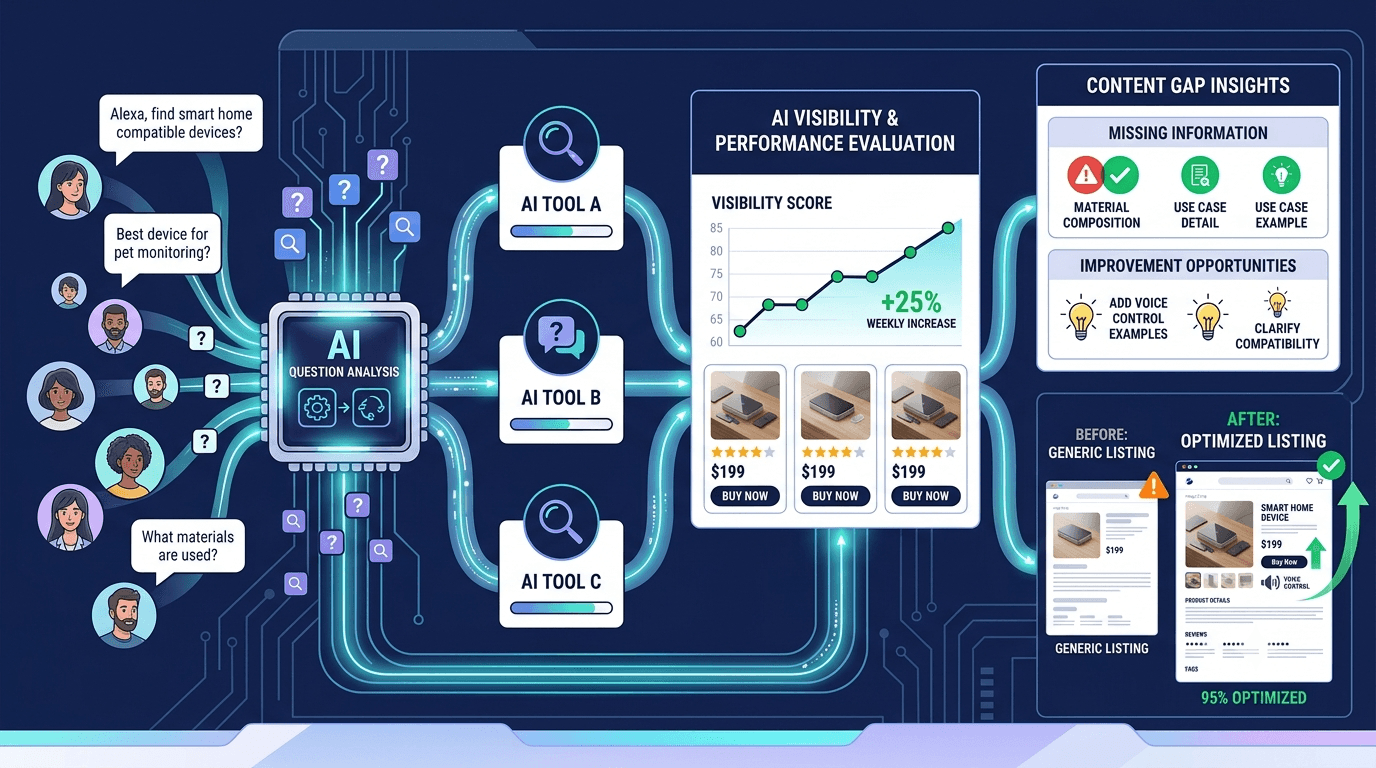
SearchPanel tracks how individual products appear when shoppers use AI to decide what to buy. It uses realistic customer questions and gives each product an AI visibility score. Teams can review the responses, see which products receive mentions, compare visibility, and find content gaps that may be holding a product back. (XENA Intelligence)
The process is practical.
Choose a product that matters to the business. Review the questions customers might ask before buying it. Check how AI tools currently answer those questions.
Then look for gaps.
The page may be missing an important use case. A key specification may be buried. The product name may change across sources. A common customer question may have no clear answer.
Update the page and check the results again.
This gives your team a repeatable way to improve AI visibility based on real responses.
XENA’s article, Your Next Customer Has an AI Buyer, explores how shopping assistants are changing product discovery and buying decisions.
Clear Product Pages Earn More Chances to Be Recommended
AI can’t recommend a product with confidence when the page leaves basic questions unanswered.
So make the value proposition easy to find. Connect features with useful outcomes. Describe real customers and situations. Keep names and specifications consistent. Answer the questions people ask before they buy.
Your page can still have personality. It can still sound like your brand.
Clarity gives that voice something solid to stand on.
Try SearchPanel to see how AI tools describe your products, find the questions where your products are missing, and identify the page updates most likely to improve visibility.